Every story.
One screen.
AniFox is a black-glass Android client for anime, films and series. A player that hides the ads, a library that remembers your episode, and seven providers when one lets you down.

 AniFox
Frieren

Jujutsu Kaisen

Dune: Part Two
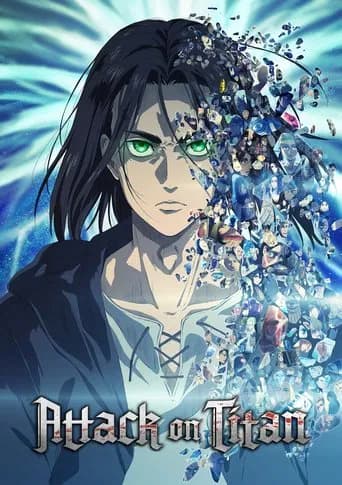
Attack on Titan

Your Name
— The app
Everything you need.
Nothing you don't.
No accounts, no upsells, no dead tabs. Just the catalogue, a clean player and a library that follows you between sessions.
A watchlist that stays
Bookmark any film, series or anime. Titles are stored on-device, so the list opens instantly and works without a connection.
Continue watching
The player records the exact season and episode. Home picks it up, Detail offers Continue — one tap and you are back.
Episode alerts
Tap the bell on a series and AniFox schedules a local notification for the next air date, even if the app is closed.
Ad-free by default
The default provider is ad-free, and the player keeps a guard on navigation so popunders and redirects never open.
Seven providers
If a stream stalls, switch servers inside the player without losing your place. Each provider resolves titles differently.
Search that remembers
Recent searches are saved locally and offered the moment you open the tab. Deep search covers the whole TMDB catalogue.
Discord Rich Presence
Show the title and episode you are watching on your Discord profile. Off by default, and it never interrupts playback.
Black-glass design
A floating glass tab bar, hairlines and a single orange accent. Built to feel like a premium streaming app, not a browser.
Frieren
Season 1 · Episode 3
Streams come from third-party embed providers. AniFox hosts nothing.
— The player
Press play.
Skip the noise.
Playback is embedded from seven providers, so there is nothing to download and nothing to configure. The ad guard blocks redirects and popunders before they open, and switching servers reloads the same episode in place.
Ad-free default
Server 1 runs without ads. A navigation guard keeps the stage clean on every other provider too.
Instant recovery
A stalled embed never dead-ends: reload, or jump to the next provider without leaving the episode.
Autoplay as a choice
Autoplay is a setting, not a surprise. Turn it off and the provider waits for you.
— Your library
It remembers
where you were.
A watchlist, resume history, recent searches and episode alerts — all stored on your device. No sign-in, no sync server, no attention tracking. Open AniFox and your library is already there.
Find it
Browse trending, airing anime or a Top 10 for your region. Search the full TMDB catalogue when you know what you want.
Keep it
Save a title to the watchlist and, for series, set an alert for the next episode. Everything stays on your device.
Watch it
Play in the embed player, switch servers if one stalls, and come back to the exact episode from Continue watching.
The project
You

AniFox
Anime & movies, unified
Continue watching
S2 · E4Dune: Part Two
FilmAttack on Titan
Watchlist
12 titles saved
Episode alerts
3 scheduled
0+
TMDB titles
0
Streaming servers
0
Resume slots
0
Ads in the player
— Providers
Seven ways
to the same story.
AniFox never hosts a file. Each server is a provider that streams the title for you; the player simply gives you the choice and keeps the ad guard on top.
Availability varies by title and region. When a provider is down, the recovery card sends you to the next one.
AniFox Provider
Ad-free default
EmbedWave
Fast mirrors
Embed API
Wide catalogue
VidLink
Clean player
MultiEmbed
Fallback
VidSrc
Backup stream
Optional integration
Let Discord know
what you're watching.
Rich Presence publishes the title and episode while the player is open. It is off by default and lives behind Settings; the repository includes the native bridge and a setup guide for the Discord Social SDK.
— Questions
Before you install
Is AniFox free?
Yes. AniFox is a free, open-source Android client. There is no account, no subscription and no locked tab — the whole catalogue, player and library are available from day one.
Does AniFox host or upload any video?
No. Metadata and artwork come from TMDB, while playback is embedded from third-party providers. AniFox stores no media and hosts nothing. All titles and trademarks belong to their owners.
Why are there several servers?
Every provider resolves streams differently. If one is slow or a title is missing, the player can switch providers instantly without losing your place. The default provider is ad-free and is tried first.
What works without a connection?
Your watchlist, resume history, search history and episode alerts are stored on-device, so the library opens instantly. Playback itself always comes from the streaming providers and needs a connection.
How do episode alerts work?
Open a series and tap the bell next to its next episode. AniFox schedules a local Android notification for the air date at 19:00 — it arrives even when the app is closed. You can cancel any alert from the Alerts screen.
Where does Discord Rich Presence appear?
Presence is optional and off by default. Once enabled in Settings, your Discord profile shows the title and episode you are watching while the player is open. It needs the Discord Social SDK linked into the build and a client ID — the repository includes the bridge and setup guide.
Your next
episode.
Install AniFox, save a title, and let the library do the rest. Free, open source, and built for one screen at a time.
Android 7+ · No account · 6 providers · TMDB